Developed by D & L Recording Studio LLC | Dana Tucker
The WING Multitrack Manager is a free Windows application designed to help Behringer WING users organize multitrack recordings from their WING LIVE SD cards. The software extracts individual WAV files from supported multichannel recordings, helping you prepare your tracks for mixing, editing, and virtual soundcheck.
Features
- Extract individual WAV tracks from WING LIVE multitrack recordings.
- Use compatible WING snapshot files to identify channel names and colors.
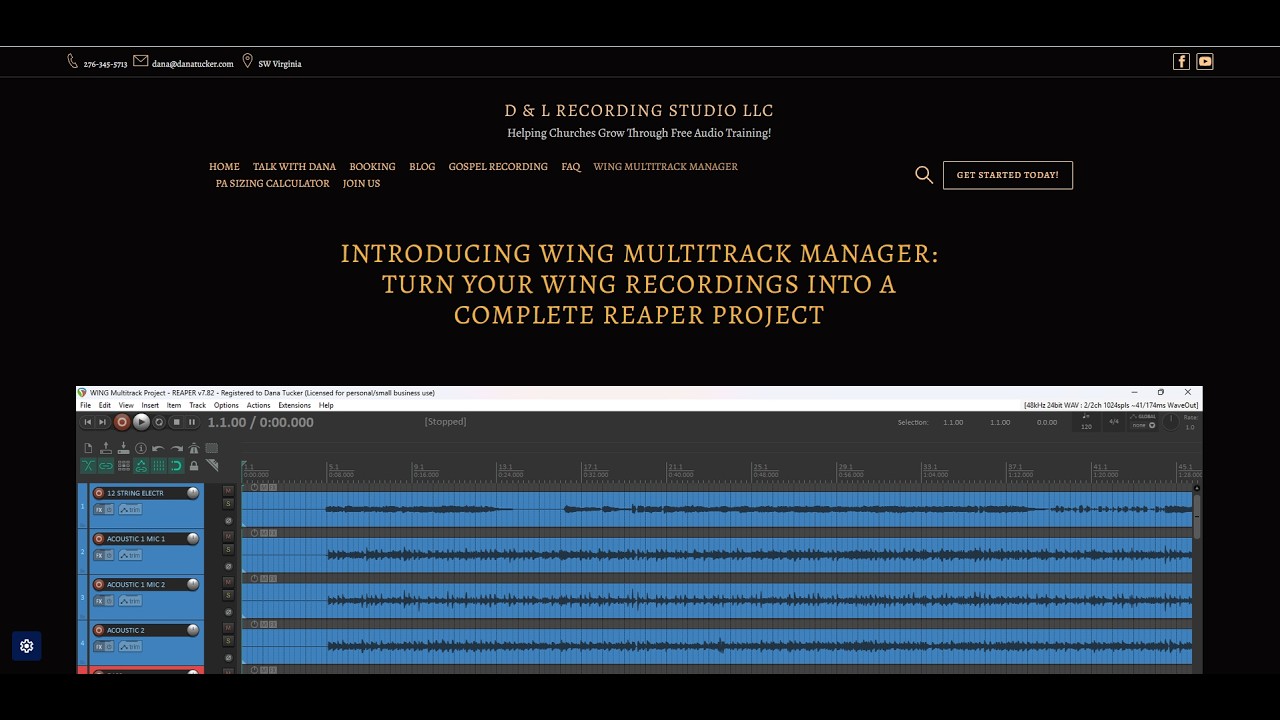
- Generate a REAPER project for supported recordings.
- Create Excel reports and HTML reference documents for your recording sessions.
- Prepare WAV files for use in other digital audio workstations (DAWs).
System Requirements
- Windows 11
- Sufficient available storage for your extracted audio files
- A Behringer WING LIVE recording to process
No Python installation is required.
Download and Installation Instructions
Step 1 — Download
Click the download button below to download WING Multitrack Manager 1.2 from Google Drive.
Step 2 — Extract the ZIP File
- Open your Downloads folder.
- Locate
WING_Multitrack_Manager_1.2_Release_Windows.zip. - Right-click the ZIP file.
- Select Extract All.
- Click Extract.
Step 3 — Start the Program
- Open the extracted
WING_Multitrack_Managerfolder. - Locate
WING_Multitrack_Manager.exe. Windows may display the filename without the.exeextension. - Double-click the application to start it.
IMPORTANT: Do not remove the application from its folder. The _internal folder contains files required for the software to operate. Both must remain together. There is no traditional installation process. Simply extract the ZIP and run the application.
Windows Security Notice
Because this is a newly distributed application without a digital publisher signature, Microsoft Defender SmartScreen or other antivirus software may display a warning. A warning does not automatically mean the application is malicious, but it should not be ignored without checking the file. Only download the program from the link provided on this website. You may scan the extracted files with your antivirus software before running them. Never disable your antivirus protection to run this program.
Using the Software
- Open WING Multitrack Manager.
- Select your WING LIVE multitrack recording.
- Load a compatible WING snapshot if you want to use available channel names and settings.
- Select your preferred DAW.
- Choose your export destination.
- Start the export and allow the program to finish processing.
For REAPER users, the software can generate a project file. Users of other DAWs can import the exported WAV files into their preferred software.
Important Information
- The program is designed for supported Behringer WING LIVE recordings.
- Some features depend on the information available in your WING snapshot.
- Keep a backup of your original SD card recordings.
- This Windows release does not currently support X32/M32 X-LIVE recordings or macOS.
This Software Is 100% Free! Please watch the short video below to see it in action.

© 2026 D & L Recording Studio LLC — Dana Tucker