Professional Audio Training & Consulting
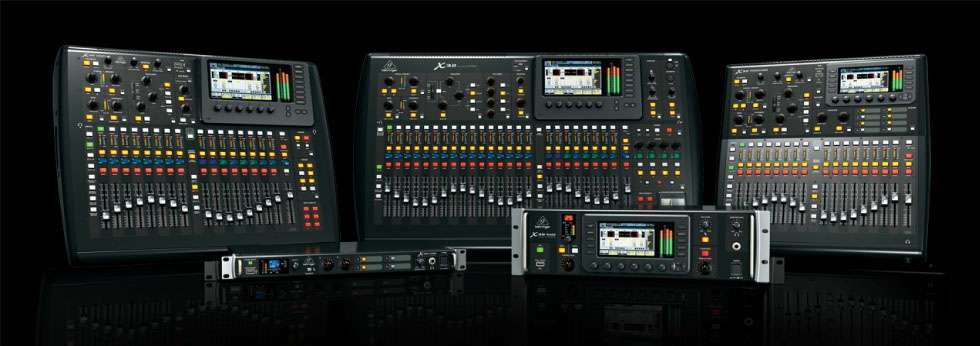
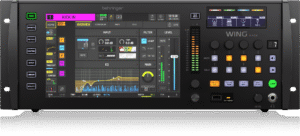
The congregation shouldn’t have to endure the sound system, just to enjoy the worship service! That’s why I offer my Behringer Wing & X/M32 Mixer Training. For many years, myself and my wife Liz had a passion for helping churches improve their sound systems and develop the skills needed to operate them with confidence. I continue to offer free audio training and consultation to churches in Elizabeth’s Memory because we believe in giving back and helping churches, worship teams, and volunteers get the most from the equipment they already have.
My goal is not simply to teach you how to operate a mixer, but to help you understand why the system works the way it does so you can confidently troubleshoot problems and produce a better mix. Churches should continue to use my Church Training Request process for free church-based training. My purpose is to make professional audio knowledge accessible, practical, and useful while continuing to support the Body of Christ through free training and education.
For non-church students, individuals, audio professionals, musicians, home-studio operators, and other organizations, I also offer professional one-on-one consulting and comprehensive training for a fee. A one-hour Zoom Audio Consultation is $100 and provides you with direct access to me to discuss your specific audio system, mixing challenges, signal-flow questions, troubleshooting issues, or other professional audio needs.
Rather than receiving a generic lesson, our time together can be focused specifically on the questions and problems you are experiencing. These meeting are recorded so you can go back and review them whenever needed. For those who want a more comprehensive learning experience, I offer my X32/M32 & WING Digital Mixing Course for $400. This course is designed to take you beyond simply learning where the buttons and controls are located.
We will explore the operation and concepts behind the Behringer X32, M32, and WING platforms, including signal flow, routing, buses, effects, monitors, scenes, channel processing, mixing techniques, and practical system operation. My goal is to give you the knowledge and understanding necessary to confidently operate these powerful digital consoles in real-world situations. My training is designed to be practical, hands-on, and based on real-world audio production.
Whether you are a musician wanting to better understand your band’s sound, an aspiring engineer, a home-studio operator, a volunteer looking to expand your skills, or an experienced audio professional who wants to improve your knowledge of the X32, M32, or WING, I will work with you at your level. I believe the best way to learn audio is to understand the entire signal path and learn how each decision affects what ultimately comes out of the speakers.
If you are interested in scheduling a $100 one-hour Zoom consultation or enrolling in the $400 X32/M32 & WING course, please contact me to discuss your needs and schedule your training. The only payment gateway I except is Zelle.