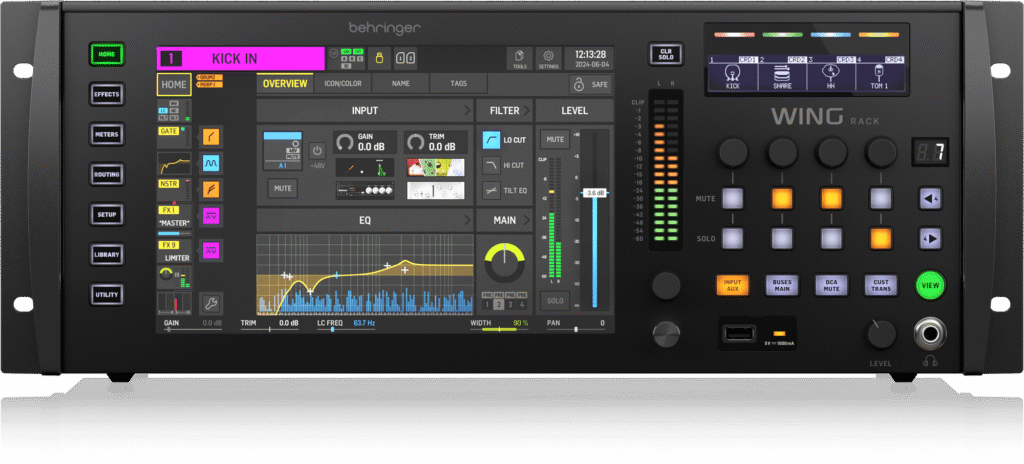
Free WING Rack Training Course
When people first hear that I’m training sound engineers using the WING Rack, one of the most common questions I get asked is, “How can you train me if I use the Wing Console or Wing Compact”? Well, at its core, the WING platform is not defined by the physical surface in front of you, it’s defined by the audio engine, processors, signal flow, processing architecture, and most importantly workflow logic. Everything I just mentioned are identical across the WING Rack, WING Console & WING Compact.
Master Your Mixer with Real-World, One-on-One Coaching
If you’re serious about getting the most out of your Behringer WING, this is not another generic tutorial—it’s a personalized, hands-on training experience designed to turn confusion into confidence. Led by experienced audio engineer Dana Tucker, this course is built around one core principle! Don’t just learn where buttons are, learn how audio actually works and flows through the Behringer Wing Digital Mixers.
Learn the WING Platform the Right Way
The Behringer WING is one of the most powerful digital mixers available today—but its depth can overwhelm even experienced users. This course breaks it down into a clear, logical workflow, teaching you:
- Signal flow from input to output
- Channel strip processing and insert points
- Bus routing, matrices, DCAs, and effects
- Real-world mixing strategies—not just theory
- How to build mixes intentionally and efficiently
Instead of memorizing surface controls, you’ll learn the audio engine and workflow logic that applies across:
- WING Rack
- WING Console
- WING Compact
Because at its core, the system is the same. A True Hands-On Experience (Not Pre-Recorded) and this is where the training stands apart.
- Live one-on-one Zoom sessions
- Screen sharing on your actual setup
- Step-by-step guidance tailored to your system
- Sessions recorded for future reference
You’re not watching someone else mix—you’re learning on your own mixer, in real time, with expert guidance. You will receive “Structured, Flexible Learning” that includes
- 10–15 personalized training sessions
- Typically 1 hour each
- Training continues until you’re confident
- Final evaluation included
This isn’t a rushed or cookie-cutter course, it’s a course that allows you to progress at a pace that ensures real understanding.
Built for All Skill Levels
Whether you are:
- A complete beginner
- A church or live sound volunteer
- A studio engineer upgrading your rig
- Or someone frustrated trying to “figure it out alone”
This course meets you where you are and builds you up to a professional, confident workflow. Students consistently highlight the ability to turn complex features into simple, usable knowledge and gain skills they can apply immediately.
Why This Training Works
Most courses teach features.
This course teaches understanding.
You’ll walk away with:
- Confidence operating your WING in real situations
- A deep understanding of routing and processing
- Faster workflow and better mixes
- The ability to troubleshoot and adapt on the fly
Course Details
- Format: Live Zoom Training
- Duration: 10–15 sessions (1 hour each)
- Investment: $600
- Requirement: WING system + WING Edit + Zoom installed
Ready to Unlock Your WING’s Full Potential?
If you want to stop guessing and start mixing with confidence, this training gives you the clarity, structure, and hands-on experience you need.
- Learn the system.
- Build real skills.
- Mix with purpose.
The training consists of ten to fifteen one hour zoom calls, but the training doesn’t stop until you are confident with running your mixer. These meetings are normally one hour long and they are recorded for your future reference, and screen sharing is used to provide real-time step-by-step instructions on your specific setup. You must have Zoom as well as Wing Edit installed on the same computer that you have your mixer connected to. There are no exceptions. If I can’t see your screen, then I will not be able to train you.
If you are using a Mac computer, then it is your responsibility to learn how to install and connect these two apps, as I don’t use Mac computers and I have no desire to learn. Please click here to see the course curriculum for the Wing Rack, Wing Compact & Wing Console digital mixers. Dana Tucker.
Submit your review | |
I recently completed the Wing Rack Hands-On Zoom Training course offered by Dana Tucker, and I couldn’t be more satisfied. I had previously taken his X32 Rack course, which already set a high bar, but Dana managed to exceed my expectations once again with the Wing Rack training. His teaching style is clear, patient, and extremely knowledgeable. Dana breaks down complex routing and workflow concepts into easy-to-understand steps, making everything feel manageable even in a live, hands-on environment. What stood out most was how thorough and practical the training was—every minute felt valuable, and I walked away with skills I could apply immediately. If you want to truly understand the Wing Rack and get the most out of your mixer, I highly recommend Dana’s training. It’s absolutely worth it, and I’ll gladly take any future courses he offers.
It's always a pleasure talking with you! I just bought the Midas DN4816-O StageConnect Interface. I am holding off on the DN4816-I, as it only excepts line level inputs. I will let you know out it turns out after I run it through its paces.