Introducing a Powerful New Windows Application for Behringer X32 and Midas M32 Users!
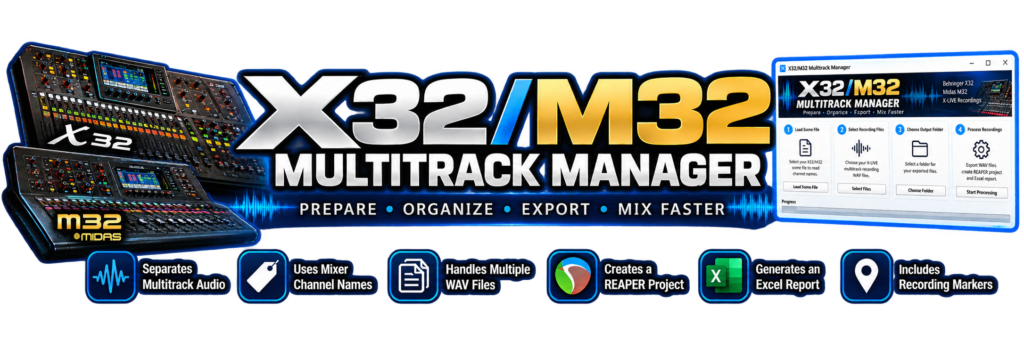
If you own a Behringer X32 or Midas M32 digital mixer and use the X-LIVE expansion card to record multitrack audio, I have something exciting to share with you! After considerable development and extensive real-world testing, I’m pleased to introduce the X32/M32 Multitrack Manager, a free Windows application designed to make preparing, organizing, and mixing your multitrack recordings faster and easier than ever before.
Mac version coming soon. If you want to be a tester, please contact me. Whether you’re recording your church worship service, a live concert, a rehearsal, or a studio session, this program can save you an enormous amount of time! And the best part? It’s absolutely FREE!
Imagine Preparing Over an Hour of Multitrack Audio in Just 43 Seconds!
That’s not a hypothetical claim. It’s what we achieved during our actual testing! We took a recording containing more than one hour of audio across 32 channels, divided into six recording segments, and processed the entire session using the X32/M32 Multitrack Manager.
The total processing time was just 43.02 seconds!
That’s more than 85 times faster than the recording’s actual playing time. Instead of spending your valuable time manually separating multichannel WAV files, identifying channels, naming tracks, and organizing everything inside your recording software, the X32/M32 Multitrack Manager handles much of that work automatically. Imagine what that could mean for a church sound engineer who records multiple services every week! Actual processing times will vary depending on recording length, computer performance, and storage speed.
What Exactly Does the X32/M32 Multitrack Manager Do?
The program was developed specifically to help users work with multitrack recordings made using the X-LIVE expansion card installed in Behringer X32 and Midas M32 digital mixers. Rather than treating your recordings as a collection of anonymous audio channels, the software combines information from your mixer scene with your recorded audio to produce a much more organized recording session.
Automatically Separates Your Multitrack Audio
The X-LIVE card records multiple channels of audio into multichannel WAV files. The X32/M32 Multitrack Manager extracts the individual audio channels into separate WAV files that can be imported into your favorite digital audio workstation. No more manually extracting one channel at a time!
Automatically Names Your Recording Tracks
Anyone who has worked with a large multitrack recording knows how frustrating it can be to identify dozens of tracks labeled with generic numbers. By reading your X32/M32 scene file, the software can use the mixer channel names to identify and organize the exported audio tracks. Instead of spending time trying to remember which channel was assigned to the lead vocal, acoustic guitar, bass, drums, or keyboards, you can begin with a much more organized session.
Handles Recordings That Span Multiple WAV Files
Long recording sessions frequently contain multiple WAV segments. Our testing included six recording segments from a single recording session. The program successfully processed those segments and created an organized REAPER project with the audio positioned correctly along the recording timeline. This is especially useful for churches recording long worship services, concerts, conferences, and other events.
Automatically Creates a REAPER Project!
If you use REAPER as your digital audio workstation, you’re going to appreciate this feature! The X32/M32 Multitrack Manager can automatically generate a REAPER project containing your exported audio tracks. The project includes the track names and positions your audio on the timeline so you don’t have to build the entire session manually. If your scribble strip is colored on your mixer, it carries that information over as well. Simply open the generated project in REAPER and you’re ready to begin working with your recordings.
But what if you don’t use REAPER?
No problem! The program also exports individual WAV files, which can be imported into compatible audio editing and recording applications, including Pro Tools, Cubase, Studio One, and other DAWs. You are not required to use REAPER to benefit from the program.
Recording Markers Are Included!
Here’s another feature that can save you considerable time. The X-LIVE recording system can store marker information during a recording session. The X32/M32 Multitrack Manager reads that marker information and includes the recording markers in the generated REAPER project and Excel report. During testing, we successfully recovered markers from a recording lasting more than one hour.
Imagine being able to jump directly to important locations in a worship service, rehearsal, or concert instead of searching through an hour of audio trying to find the right moment! That’s a valuable feature for anyone responsible for editing long recordings.
Automatically Generates a Detailed Excel Recording Report!
The X32/M32 Multitrack Manager doesn’t stop at exporting audio. It also creates an Excel workbook containing useful information about your recording session. The workbook includes two worksheets:
Track Information
Provides an organized reference to the recording tracks and their identifying information.
Recording Markers
Documents the recording markers and their positions, making it easier to identify important locations in your recording.
This report can be especially helpful when you’re working with another audio engineer, archiving a recording session, or returning to a project months later. Instead of trying to remember every detail of a recording, you have an organized reference to work from.
Your Original Recordings Remain Untouched!
One of my priorities during development was making sure the original recording files were preserved. The X32/M32 Multitrack Manager reads your existing recordings and creates new exported files. It does not apply EQ, compression, reverb, or other audio processing to your recordings. Your original source files remain available if you ever need to return to them.
Designed for Church Sound Engineers!
As someone who has spent nearly 50 years working with analog and digital audio equipment, I understand how valuable time can be when preparing a recording for mixing. Many church sound engineers are volunteers. They spend hours preparing for services, operating the sound system, helping musicians, and making sure the congregation and online audience can hear clearly.
After the service is over, the last thing they need is another hour of tedious computer work just to organize the recording. That’s one of the reasons I wanted to develop this program. I want to help church audio volunteers spend less time preparing files and more time learning, mixing, and producing great audio.
And this program isn’t limited to churches! It’s equally useful for recording studios, live sound engineers, musicians, schools, and anyone else recording multitrack audio with an X32 or M32.
Simple Windows Application — No Programming Required!
You don’t need to understand computer programming or install Python to use the finished Windows application. The X32/M32 Multitrack Manager was designed to provide a straightforward workflow:
- Load your X32/M32 scene file.
- Select your X-LIVE multitrack recording files.
- Choose your export destination.
- Let the software prepare your individual WAV tracks, REAPER project, and recording report.
You can then open the exported files in your preferred digital audio workstation.
Why Am I Giving This Software Away?
My wife, Elizabeth (Liz) Tucker, and I shared a commitment to helping churches and others improve their audio systems. Following Liz’s passing, I decided to continue offering free audio training and educational resources in her loving memory. The X32/M32 Multitrack Manager is another part of that mission. My hope is that it saves you time, helps you produce better recordings, and makes working with your X32 or M32 a little more enjoyable.
There is no purchase price, no subscription fee, and no charge to use the program.
Download the Free X32/M32 Multitrack Manager
Ready to make your multitrack recording workflow easier? Download the free Windows application and see how much time you can save preparing your next recording. Please click here to read important information if your antivirus software or Windows Defender gives you a warning, and how to bypass it.
Download the X32/M32 Multitrack Manager
Humbly, Dana Tucker
D & L Recording Studio LLC