Schedule Your Audio Training Session
Professional Audio Training for Churches, Individuals, and Audio Professionals.

When you book your time for a zoom call, the zoom link will automatically be emailed to you after you submit your information. This email will also contain a link you can use if your need to cancel or reschedule your appointment, so please save this email. Please select your time zone from the drop-down list. After you make your selection, click the little “Floppy Disk Icon” to save your selection.
Choose the date and time you would like to meet. We will both receive an email confirming your appointment. Yours will be in your time zone and mine will be in mine. To secure your scheduled appointment, please submit your $100 payment via Zelle at least 60 minutes after you book your appointment.
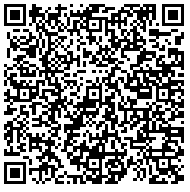
Appointments without confirmed payment by this deadline will be automatically canceled, and the reserved date and time will become available for another client. You can use my Zelle QR Code below to submit your payment if you use the Zelle app, or my email address, dana(@)danatucker.com without the ( ) if you are making payment from inside your bank account online.
All of this is done automatically so rest assured that when you book your appointment, I will get your information and be waiting on you to join our Zoom meeting at the selected date and time. Thank you for your understanding and cooperation. I look forward to speaking with you. Humbly, Dana Tucker.